
Android smartphones have become an essential part of everyday life. Whether you use your phone for communication, entertainment, work, education, photography, or managing your daily activities, the right apps can make your smartphone much more useful. With millions of applications available, however, finding the best Android apps can sometimes be difficult.
From productivity tools and social media platforms to entertainment and security apps, there are many options available for Android users. In this guide, we explore some of the most useful categories and apps that can improve your overall Android experience.
What Makes an Android App Useful?
Before downloading an app, it is important to consider what value it provides. A good Android app should be easy to use, reliable, regularly updated, and useful for your specific needs.
You should also consider an app’s privacy practices, permissions, storage requirements, and user reviews. Installing too many unnecessary applications can consume storage space and battery life, so it is better to choose apps that genuinely improve your daily smartphone experience.
1. Google Maps for Navigation


6
Navigation is one of the most common reasons people use their smartphones. Google Maps is one of the most useful Android apps for finding locations, planning routes, checking traffic conditions, and exploring nearby businesses and attractions.
The app provides driving, walking, cycling, and public transportation directions in many locations. It can also help users discover restaurants, shops, hotels, and other places.
For people who travel frequently or simply want reliable navigation, Google Maps can be an essential Android application.
2. WhatsApp for Communication


5
WhatsApp is a popular communication application that allows users to send messages, make voice and video calls, share photos and documents, and communicate through group chats.
Its simple interface makes it easy for beginners to use, while features such as group conversations and media sharing make it useful for families, friends, students, and businesses.
For users who frequently communicate with people online, WhatsApp remains one of the practical apps to have on an Android phone.
3. Google Drive for Cloud Storage


5
Running out of phone storage can be frustrating, especially when you have important documents, photos, and other files. Google Drive provides cloud storage that allows users to store and access files from different devices.
It is particularly useful for students and professionals who need access to documents while traveling or working away from their computers.
Cloud storage also provides an additional way to keep important files accessible without depending entirely on your smartphone’s internal storage.
4. Spotify for Music and Podcasts


5
Music and podcasts are an important part of smartphone entertainment. Spotify offers access to a large collection of music, podcasts, playlists, and other audio content.
Users can create personal playlists, discover new artists, and listen to content based on their interests. Depending on the available plan and region, some features may require a subscription.
For Android users who enjoy listening to music or podcasts throughout the day, a dedicated streaming app can make entertainment much more convenient.
5. Canva for Design and Creativity


6
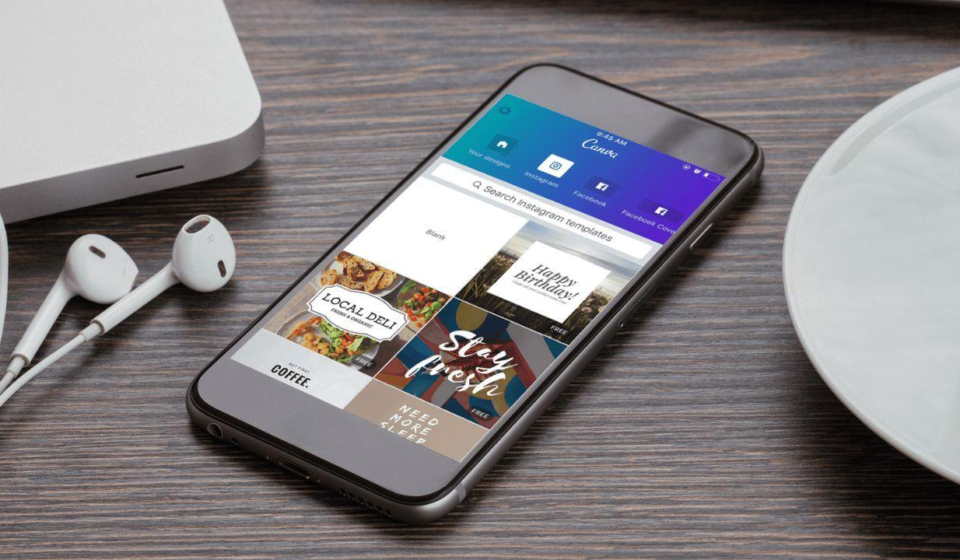
Creating professional-looking graphics no longer requires advanced design skills. Canva provides templates and tools for creating social media posts, presentations, posters, banners, thumbnails, and other visual content.
The Android application is particularly useful for people who manage social media pages, websites, small businesses, or personal projects.
Users can start with a template and customize text, images, layouts, and other elements directly from their smartphone.
6. Microsoft 365 for Productivity
For users who work with documents and spreadsheets, Microsoft 365 can be a useful addition to an Android phone. It provides access to familiar productivity tools for creating and editing documents, spreadsheets, and presentations.
Students can use these tools for assignments and projects, while professionals can use them to review or edit work while away from their computers.
Having productivity applications on your phone can make it easier to handle urgent tasks when you do not have access to a laptop or desktop computer.
7. Google Photos for Managing Photos
Smartphones are often used as primary cameras, which means photo libraries can grow quickly. Google Photos helps users organize, search, and manage their photographs and videos.
Its search and organization features can make it easier to find specific pictures without manually browsing through hundreds or thousands of files.
Users should always review their backup and storage settings to understand how their photos are being stored and synchronized.
8. Bitwarden for Password Management
Using the same password across multiple websites can create security risks. A password manager can help users create and store unique passwords for different accounts.
Bitwarden is one option available to Android users. It can securely store login information and help users access their credentials when needed.
A strong password-management strategy should also include two-factor authentication wherever possible.
9. Google Keep for Notes
Sometimes you need to quickly write down an idea, shopping list, reminder, or important piece of information. Google Keep provides a simple way to create and organize notes.
Users can create text notes, checklists, reminders, and other types of quick information. Its straightforward design makes it useful for everyday tasks.
Instead of keeping important information scattered across messaging apps or paper notes, a dedicated notes application can help keep everything organized.
10. VLC for Media Playback
Android devices can store many different types of media files. VLC is a popular media player that supports a wide range of audio and video formats.
It can be useful when the default media player on a smartphone does not support a particular file type. VLC also provides various playback controls and customization options.
For people who regularly watch downloaded videos or listen to locally stored audio, a capable media player can be a valuable addition.
How to Choose the Best Android Apps
The best Android apps are not necessarily the ones with the largest number of downloads. The right choice depends on your personal requirements.
Before installing an application, consider these factors:
- Security: Check what permissions the application requests.
- Privacy: Review the developer’s privacy practices.
- Updates: Regular updates can improve security and performance.
- Storage: Avoid apps that consume unnecessary storage.
- Battery usage: Some applications may use significant background resources.
- Reviews: User feedback can help identify common problems.
- Purpose: Install apps that provide genuine value.
It is also recommended to download applications from trusted sources such as the official Google Play Store whenever possible.
Conclusion
Finding the best Android apps depends largely on how you use your smartphone. Navigation apps can make traveling easier, communication tools keep you connected, productivity applications help you work, and entertainment apps provide convenient access to music and video.
Apps such as Google Maps, WhatsApp, Google Drive, Spotify, Canva, Microsoft 365, Google Photos, Bitwarden, Google Keep, and VLC cover a wide range of everyday needs.
However, installing an app simply because it is popular is not always the best approach. Focus on applications that are reliable, secure, regularly maintained, and genuinely useful to you. With the right selection of Android apps, your smartphone can become a much more powerful tool for work, communication, entertainment, and everyday life.